
Finance & Accounting
Manage your chart of accounts, general ledger, treasury, and financial reporting.
Finance dashboard
The Finance page shows revenue, collected, receivables, supplier payable, expenses, and payroll. When a total needs a journal, open the general ledger rather than typing over the card.
General Ledger
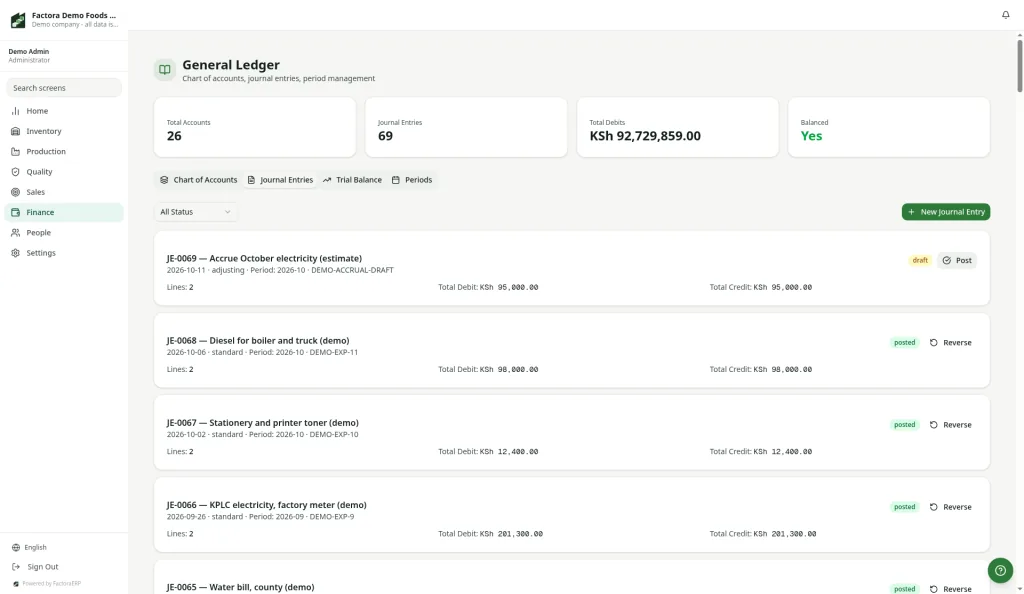
Open the General Ledger at /f/<company-slug>/general-ledger. The Journal Entries list shows posted entries and one draft, with totals. It is a list, not one open journal. Use the chart of accounts to organise transactions by category: assets, liabilities, revenue, and expenses.
Treasury
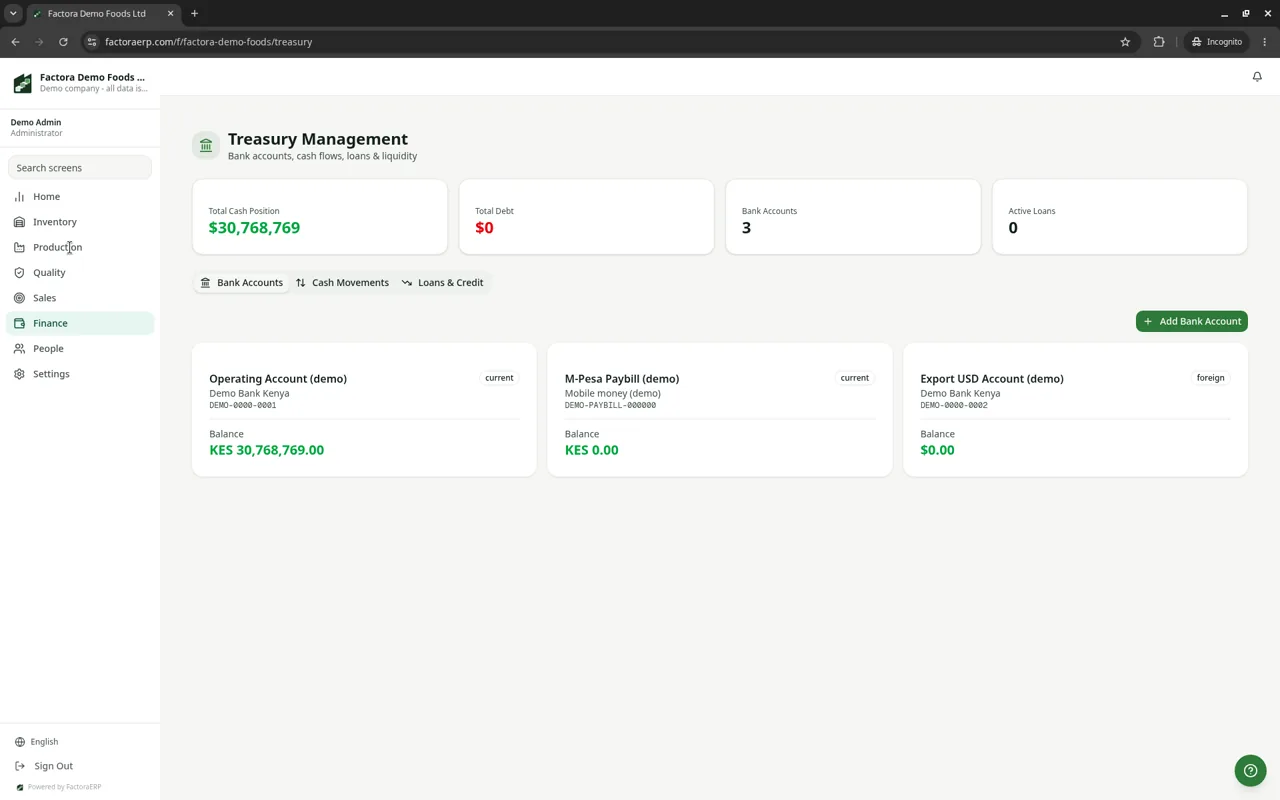
Open Treasury at /f/<company-slug>/treasury. The screen shows three demo bank accounts and the cash position. Reconciliation is not on this screen.
Fixed Assets
Register company assets (machinery, vehicles, buildings), track depreciation, and manage disposals. Asset values flow automatically into your balance sheet.
Reports & Board Reports
Generate financial reports — P&L, balance sheet, cash flow statement, and custom reports. The Board Reports module formats these for executive presentation.
Learning objectives
- Read revenue, collected, receivables, supplier payable, expenses, and payroll
- Record journals, bank movements, and assets in the module that owns them
- Produce the profit and loss, balance sheet, and cash flow from those records
Walk the screen
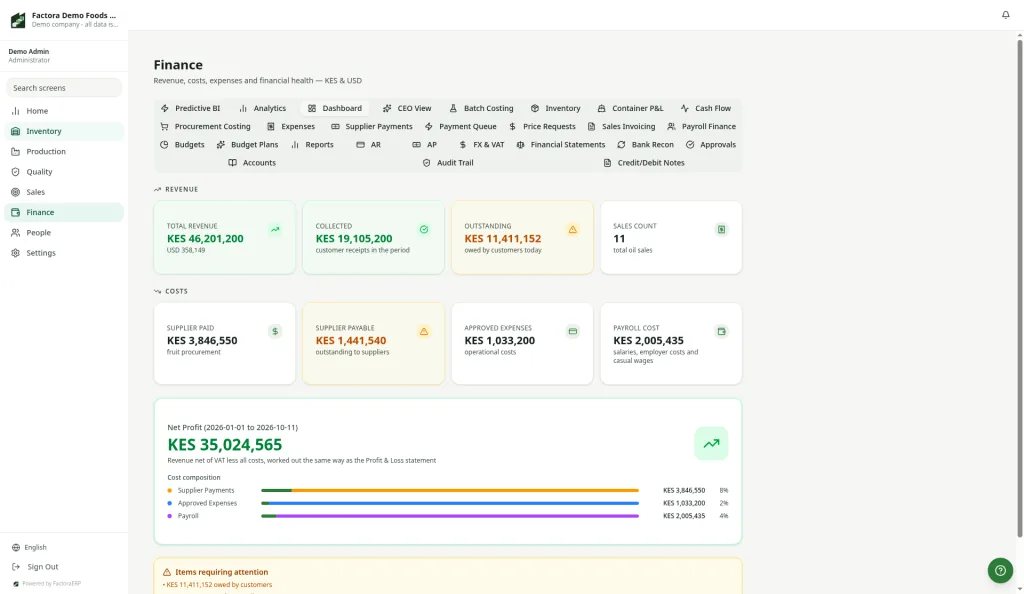
- Open Finance and read revenue, collected, receivables, supplier payable, expenses, and payroll.
- Open the General Ledger at
/f/<company-slug>/general-ledger. Read the journal list: posted entries, one draft, and the totals. - Open Treasury at
/f/<company-slug>/treasuryfor the three demo bank accounts and the cash position. Do not look for a reconciliation control on this screen. - Register machinery, vehicles, and buildings as fixed assets, with depreciation. Disposals are recorded there so the balance sheet moves.
- Run the profit and loss, balance sheet, and cash flow. Use Board Reports when the pack is for an executive meeting.
- If a figure disagrees with Inventory or Sales, fix the source document. Do not journal over it without a reason.
Worked example
The finance home shows receivables among the other totals. You open the general ledger list when you need the journals, rather than typing over the card. Treasury shows the cash position of the three demo accounts.
Practical tip: quote the screen. A receivables question is the finance home. A journal question is the general ledger list.
Common mistakes
- Editing the dashboard total.
- Keeping cash in a sheet and the ledger in the system.
- Depreciating an asset in a workbook after registering it.
Recap
- The finance home shows revenue, collected, receivables, supplier payable, expenses, and payroll.
- The ledger is a journal list. Treasury is the cash position.
- Statements and board reports read those records.