
Human Resources
Manage employee records, departments, contracts, and leave.
Staff records
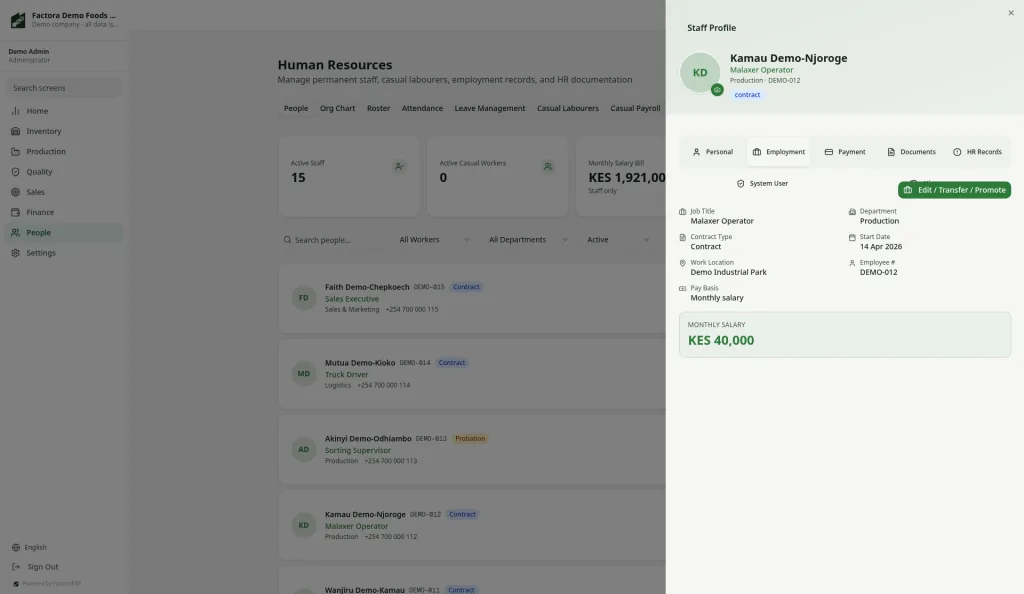
The HR module is your central employee database. Each staff member has a profile with personal details, job title, department, contract type, salary and next of kin. Pay, bank and ID details are only shown to admins, HR, finance, accountants, the general manager and the CEO/director.
Departments and structure
Organise staff into departments (Production, Quality Control, Finance, etc.) and choose a head for each. Departments group staff in the directory, the org chart and the people dashboard.
Leave management
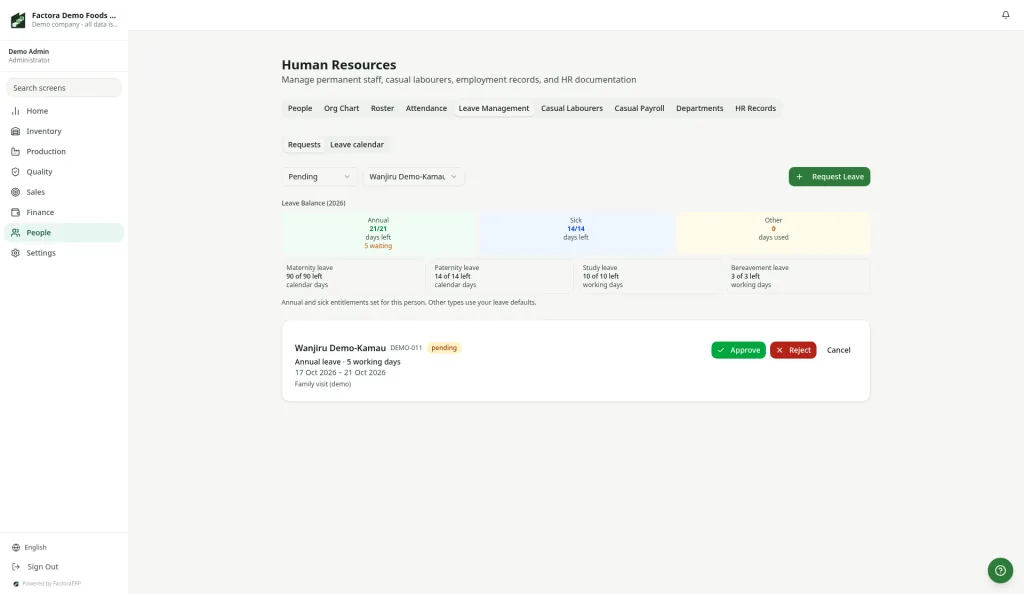
HR, a supervisor or a manager requests leave for a staff member in HR → Leave Management. An admin, HR manager, general manager or CEO/director approves or rejects it there, and nobody decides their own request. Approved leave comes off the person's balance for the year, and cancelling approved leave puts the days back.
Contracts
Record each person's contract type (permanent, probation, contract or consultant), start date and end date. When someone leaves, set them to terminated: FactoraERP records the date they left and offers to switch off their login.
Learning objectives
- Maintain the staff profile, department, and contract dates
- Request leave and have a different authorised person decide it
- Set a leaver to terminated so the leaving date is stored and the login can be switched off
Walk the screen
- Open HR at
/f/<company-slug>/hrand the Employment tab. The demo profile is a Malaxer Operator in Production on a Contract. Record job title, department, and contract type. - Leave pay, bank, and ID details to admins, HR, finance, accountants, the general manager, and the CEO or director.
- Put the person in a department and set the department head so the directory and the org chart stay current.
- Request leave in HR, Leave Management. An admin, HR manager, general manager, or CEO or director decides. Nobody decides their own request.
- Approved leave reduces the yearly balance. Cancelling approved leave puts the days back.
- Contract types are permanent, probation, contract, or consultant, with start and end dates. On exit, set terminated and record the date. The product can switch off the login.
Worked example
A pending annual leave request sits beside the 2026 leave balance. A different authorised person approves it and the balance falls. The requester cannot approve the same request. When a contract end date passes, the record is updated rather than deleted, so payroll can still see the last day.
Common mistakes
- Approving your own leave.
- Showing bank details to the whole production team.
- Deleting a leaver instead of marking them terminated.
Recap
- The profile is the employee record. Pay details are limited.
- Leave needs a different approver. Balance moves with the decision.
- Terminated stores the leave date and can switch off the login.