
Recruitment & Training
Hire new staff, run training programmes, and track certifications for your team.
Recruitment
The Recruitment module lets you post job openings, track applicants, schedule interviews, and make offers — all in one place. Once hired, convert an applicant into a staff record with one click.
Learning Management (LMS)
Create training courses, assign them to staff, and track completion. Courses can cover safety procedures, equipment operation, quality standards, or any custom topic.
Certifications & badges
Issue certifications when staff complete training. Track expiry dates and renewal requirements. Gamification badges reward achievements and encourage ongoing learning.
Health & Safety
Log workplace incidents, track safety training completion, and maintain safety audit records. The Health & Safety module helps you meet regulatory requirements and protect your team.
Learning objectives
- Track an opening, applicants, interviews, and an offer, then convert the hire
- Assign LMS courses and watch completion and certification expiry
- Log workplace incidents and safety training in Health and Safety
Walk the screen
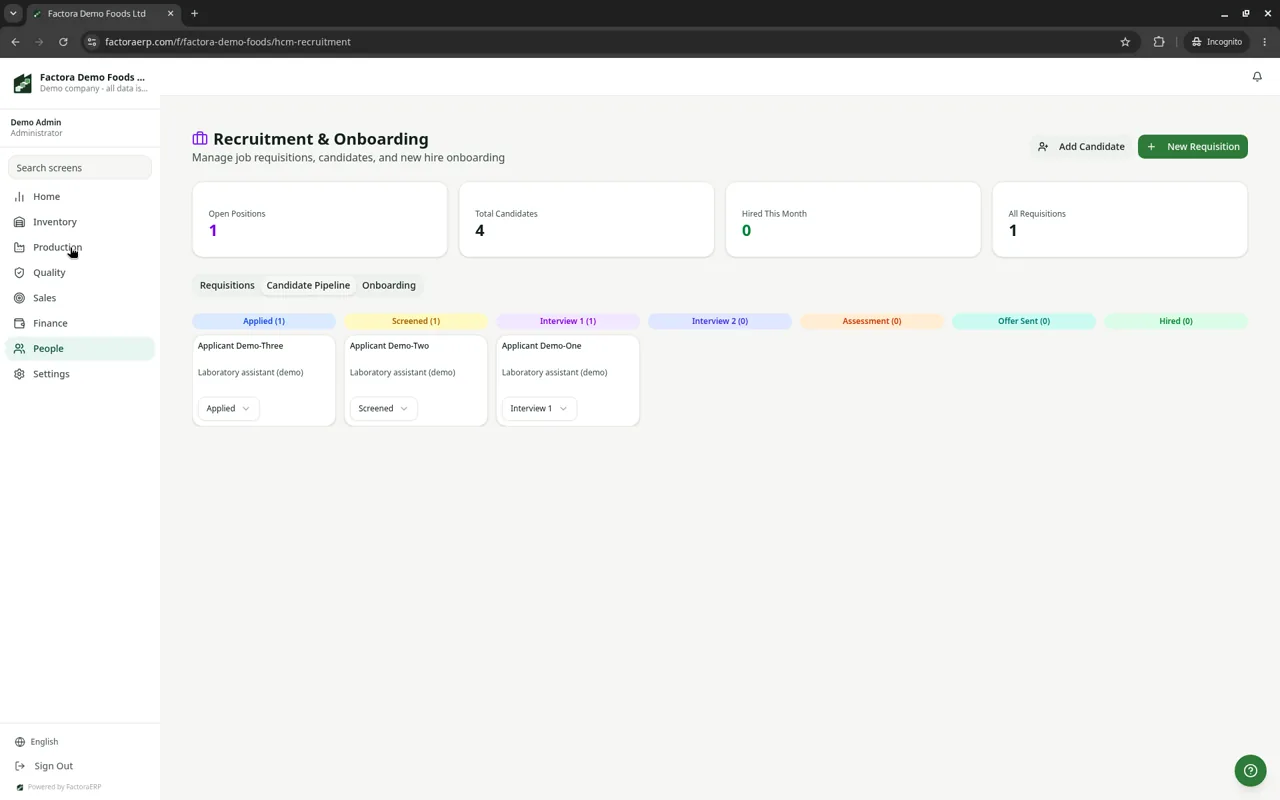
- Open Recruitment at
/f/<company-slug>/hcm-recruitment. The screen is a candidate pipeline with Applied, Screened, and Interview 1. - When they are hired, create the staff record in HR from what you already captured on the candidate. The pipeline screenshot is not a job-opening form.
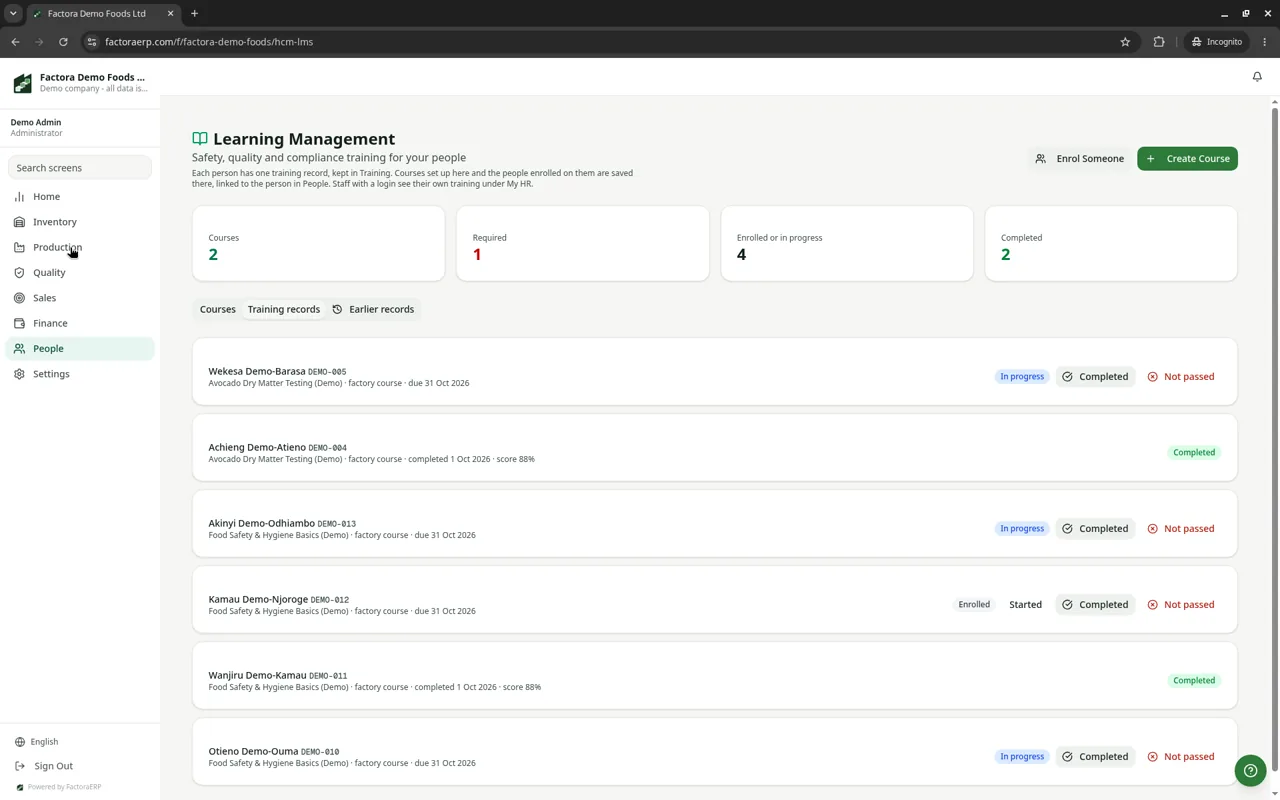
- Open staff training at
/f/<company-slug>/hcm-lms. The records show employees in progress or enrolled, with a due date of 31 Oct. This screen is the training-record list, not a course builder. - Issue the certification when they finish, and watch the expiry and the renewal.
- Badges in this module reward staff learning. They are not the product-academy badges in this catalog.
- Log an incident and the safety training in Health and Safety so the record is not only in a notebook.
Worked example
A candidate moves from Applied to Screened to Interview 1. When they are hired, the staff record is created in HR. On the factory LMS, the training record stays in progress or enrolled until they finish, and the due date on the demo records is 31 Oct.
Practical tip: Interview 1 is not a hire. The staff record starts after the decision, not when the candidate first appears in Applied.
Common mistakes
- Hiring in Recruitment and forgetting the staff record.
- Tracking training completion on paper only.
- Confusing staff LMS badges with the Factora product-academy badges.
Recap
- Recruitment ends by converting a hire into HR.
- The LMS tracks assignment and completion. Certifications expire.
- Health and Safety holds incidents and safety training.