
Compliance & Certifications
Manage ISO, HACCP, organic, and other certifications. Track expiry dates and audit readiness.
Adding certifications
Go to Quality → Compliance to record your factory's certifications (ISO 22000, HACCP, organic, fair trade, etc.). Enter the certification body, issue date, and expiry date.
Expiry tracking
The system alerts you when certifications are approaching expiry. This gives you time to schedule renewal audits and gather required documentation.
Audit preparation
Use the Audits & NCR module to plan internal and external audits. Track Non-Conformance Reports (NCRs), corrective actions, and follow-ups. When auditors arrive, your records are organised and accessible.
QMS Documents
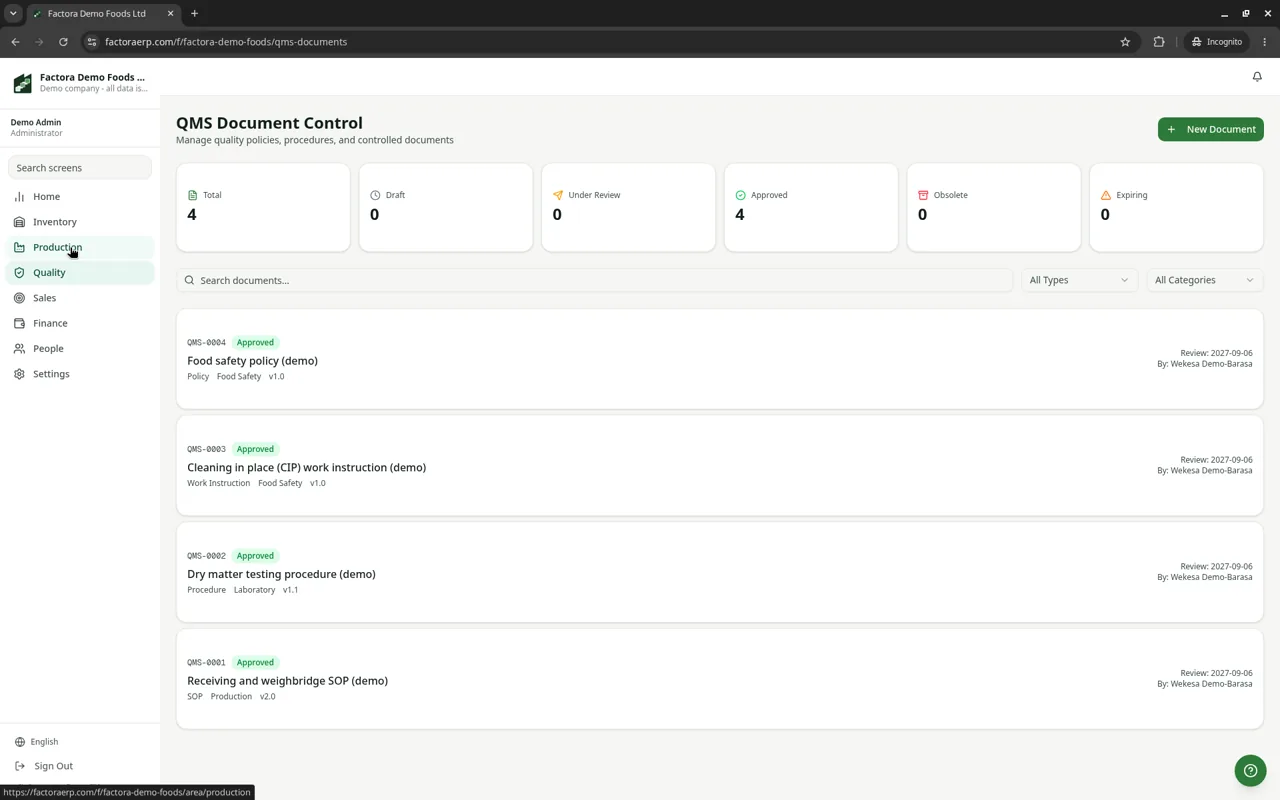
Open QMS Documents at /f/<company-slug>/qms-documents. The screen shows four approved SOPs, each with a version number. There is no separate current marker, so read the version on the document.
Learning objectives
- Record the certification, the body, the issue date, and the expiry
- Use Audits and NCR to plan the audit and track corrective actions
- Open QMS documents so staff use the latest SOP
Walk the screen
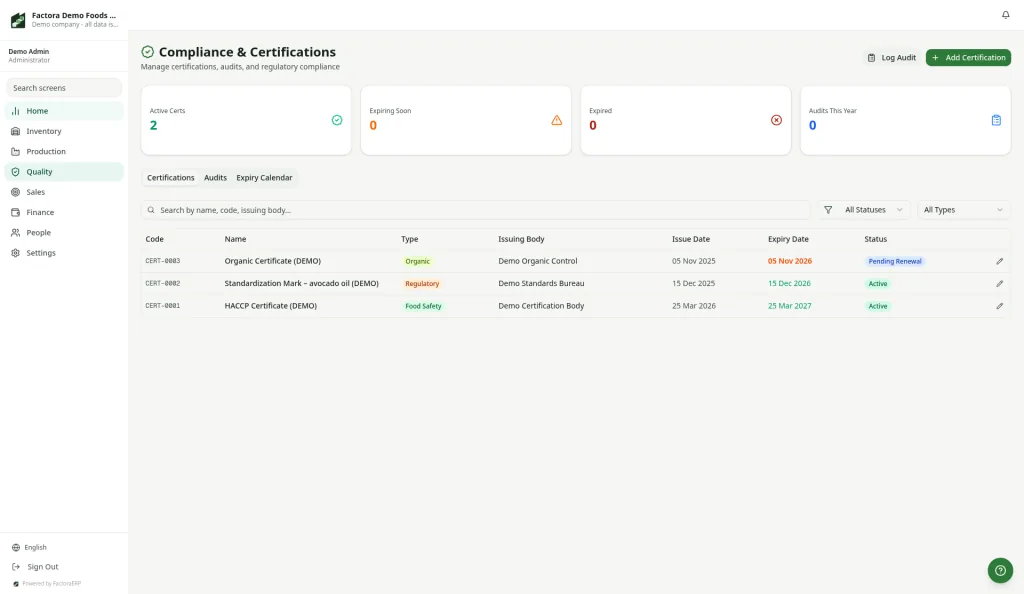
- Open Quality, then Compliance. The demo list has three certificates. Each one shows the body, the issue date, and the expiry.
- Read the expiry alerts in time to book the renewal and gather documents. Do not wait for the expiry day.
- Open Audits and NCR to plan the internal or external audit and to track non-conformances and follow-ups.
- Open QMS Documents at
/f/<company-slug>/qms-documents. Read the version number on the approved SOP. There is no separate current marker. - When a document is revised, the new version is the one the floor should see. Do not keep a private older copy as the working one.
- Link a shipment's export file to the certificate when logistics asks for it.
Worked example
The compliance list has three demo certificates, each with a body, an issue date, and an expiry. Use the expiry to schedule the renewal. QMS Documents shows four approved SOPs with version numbers. A printed older copy on the line is the mistake you correct by pointing staff at the version in the module.
Common mistakes
- Tracking certificates only in a folder of PDFs.
- Printing an SOP once and never checking the version.
- Marking an audit complete while NCR follow-ups are still open.
Recap
- Compliance stores the body, the dates, and the expiry alert.
- Audits and NCR hold the findings and the follow-up.
- QMS Documents is the current version.