
Managing Suppliers
Add, edit, and evaluate suppliers. Track contracts, delivery performance, and compliance.
Supplier profiles
Each supplier has a profile showing their contact details, delivery history, quality records, and outstanding purchase orders. Use this to make informed decisions about which suppliers to work with.
Supplier Relationship Management (SRM)
The SRM module lets you score and rank suppliers based on delivery reliability, material quality, and pricing. Use it to identify your best-performing suppliers and flag those who need improvement.
Procurement & purchases
Create purchase orders from the Procurement module. Link each order to a supplier, specify items and quantities, and track approval status. Once goods arrive, they're matched to the purchase order automatically.
Learning objectives
- Open a supplier profile and read delivery history, quality, and open orders
- Use SRM scores for reliability, quality, and pricing
- Create a purchase order in Procurement and expect the arrival to match it
Walk the screen
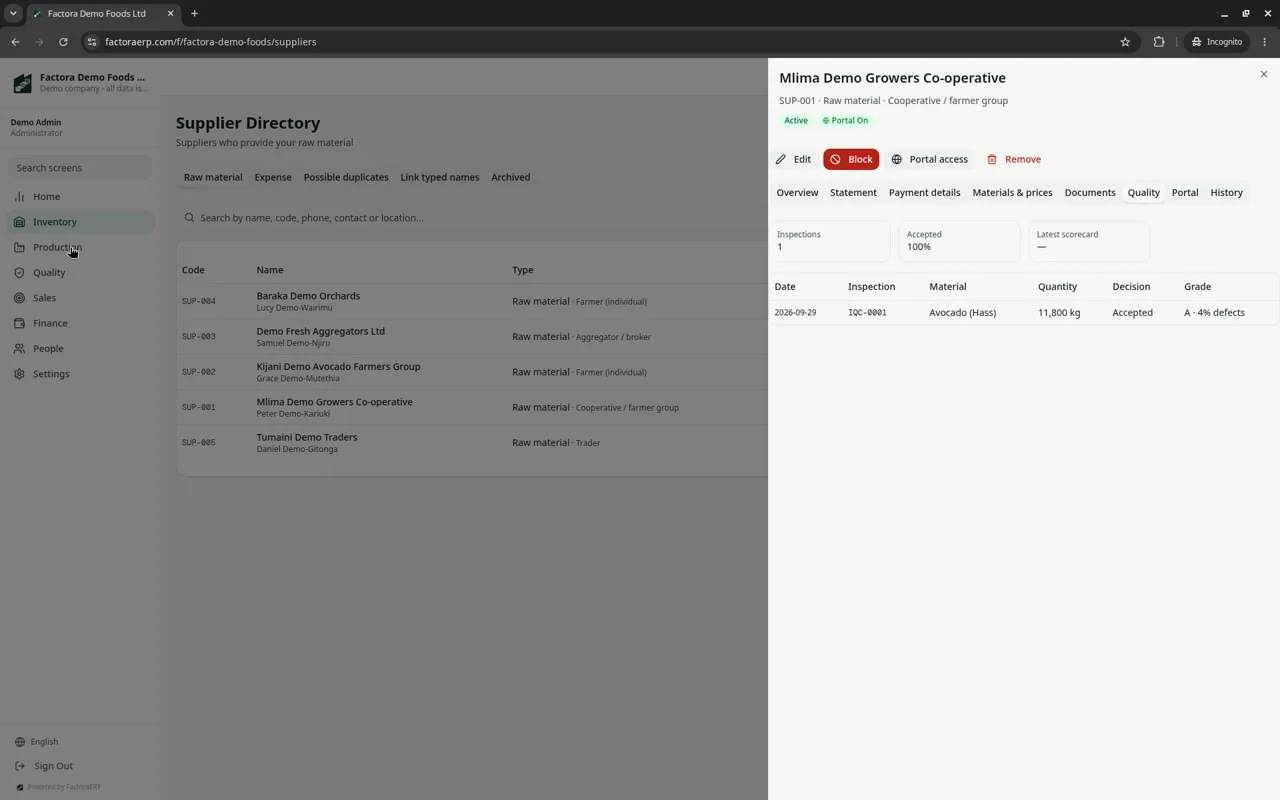
- Open the supplier profile before the truck arrives. Mlima Demo Growers Co-operative is the demo profile, and the Quality tab is where you read how their lots have tested.
- After a few lots, read the profile: delivery history, quality records, and outstanding purchase orders.
- Open SRM and look at the score for delivery reliability, material quality, and pricing. Use it to decide who gets the next order, not as a decoration.
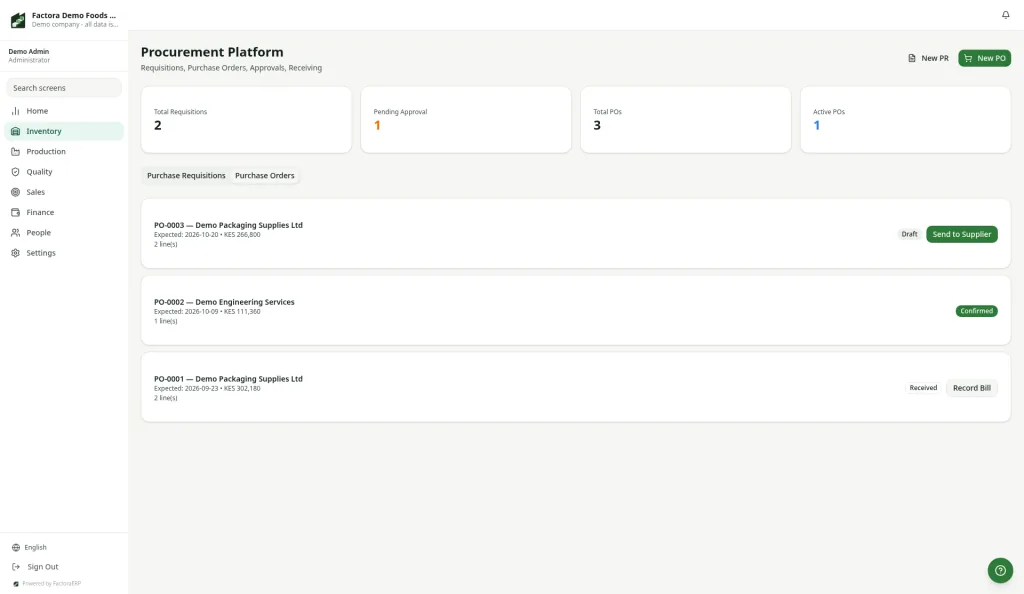
- Open Procurement, Purchase Orders. The list shows PO-0003 Draft for Demo Packaging Supplies Ltd, PO-0002 Confirmed, and PO-0001 Received. Create the next order against the supplier, with items and quantities.
- Track the approval status. The person who raises the order should not be the only approver.
- When the goods arrive, log the intake against this supplier so the match to the purchase order can happen.
Worked example
Mlima Demo Growers Co-operative is the supplier you select on intake. Read the Quality tab before you book the next truck. Procurement is the purchase-order list: PO-0003 is Draft, PO-0002 is Confirmed, and PO-0001 is Received. The arrival is matched to the order, not typed as a one-off name.
Common mistakes
- Typing a one-off supplier name on the intake because the profile felt slow.
- Ignoring a falling quality score because the price was lower.
- Approving your own purchase order.
Recap
- The profile holds contacts, deliveries, quality, and open orders.
- SRM ranks reliability, quality, and price.
- Procurement orders are what arrivals match.