
Knowledge Hub

Factora Academy

Knowledge Hub · Courses · IoT.Factora · On the floor · 5 min

Alerts

Acknowledge an alert in one tap. Maintenance closes it.

Introduction

What this covers

What an alert card is telling you, what Acknowledge stores, and who is allowed to close the alert.

Why it matters on the floor

On a wet floor the large Acknowledge button is the record that someone saw the problem. Closing it yourself would hide it from maintenance.

By the end you can

  • Read the card as the problem and the place, with the rounded value and its unit
  • Acknowledge an alert so your name is stored, including with the large button when the floor is wet
  • Leave resolution to maintenance or an admin, and treat All clear as nothing open

About 5 minutes. Prerequisites: Start of shift, so you already know where Alerts sits in the opening routine.

Alerts

The card title is the problem and the place. The number is rounded and shows the unit.
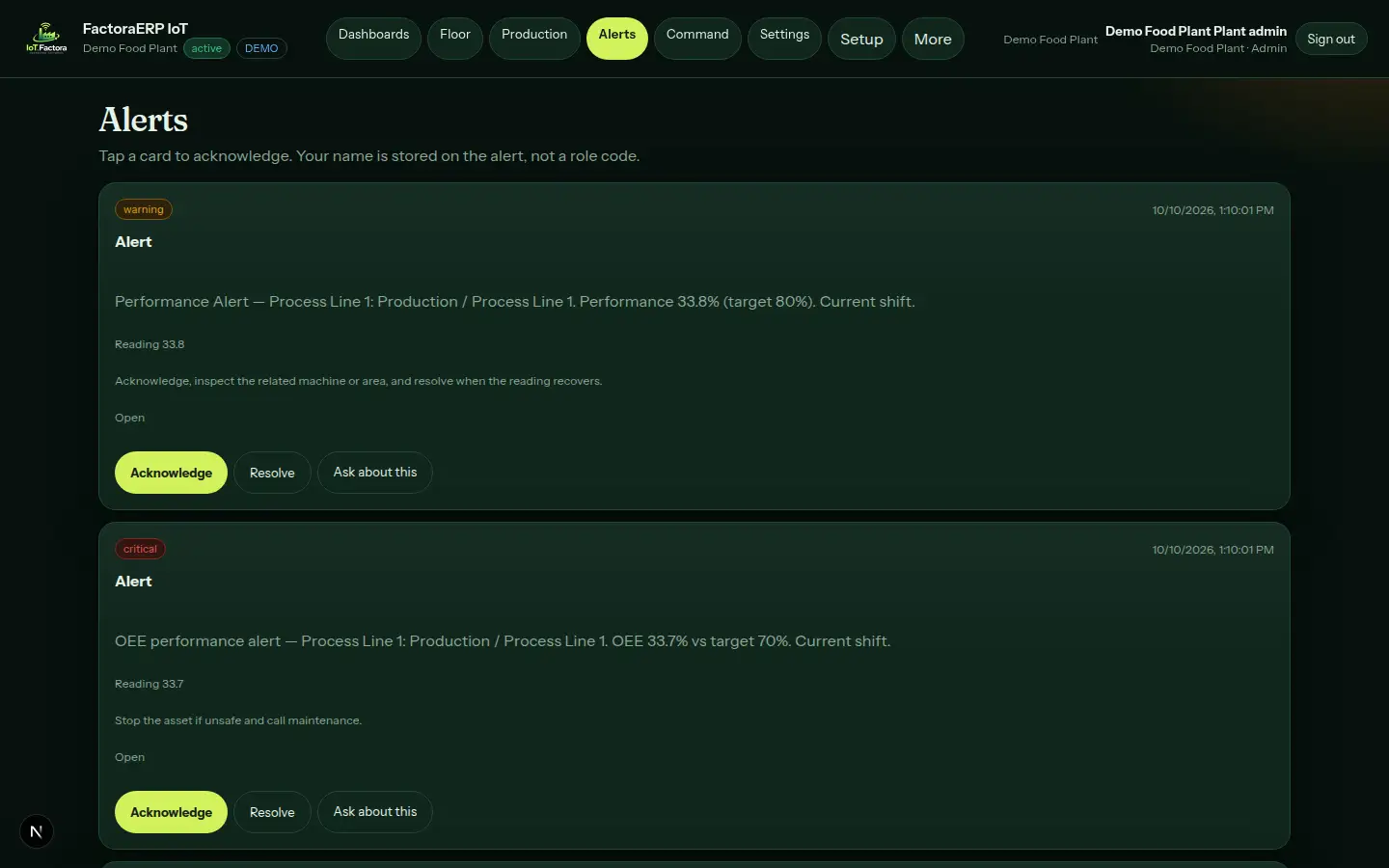
Alert cards on Demo Food Plant, including a critical cold-room temperature.
Acknowledge means you have seen it. The list says All clear only when nothing is open.
  • Acknowledge means you have seen it. Your name is stored.
  • You cannot close it. Maintenance or an admin resolves it.
  • If the list says All clear, there is nothing open.

When the floor is wet, use the big Acknowledge button. Ask about the factory only after the alert is acknowledged.

Walk the screen

  1. Read the card title as the problem and the place, and read the number with its unit.
  2. Press Acknowledge, including the large button when the floor is wet.
  3. Leave the card for maintenance or an admin to resolve. Do not look for a close button.
  4. If the list says All clear, there is no open alert to acknowledge.
  5. Ask a question about the factory only after the alert is acknowledged.

Worked example

A critical cold-room card is on the demo plant. You acknowledge it and your name is stored. The card remains until maintenance resolves it. You do not tell the next shift it is finished just because you acknowledged it.

Common mistakes

  • Closing or resolving an alert as an operator.
  • Ignoring All clear and hunting for a hidden fault.
  • Reading the rounded number without its unit.

Recap

  • Acknowledge means you have seen it.
  • Maintenance or an admin resolves it.
  • All clear means nothing is open.

Create a free account or log in to save this lesson on your progress.

Check understanding

Progress is stored in this browser until you log in. Passing is 70%.

1. An operator can resolve an alert.
2. All clear means
3. Who resolves an alert after an operator acknowledges it?
4. The large Acknowledge button is for when the floor is wet.