Knowledge Hub

Factora Academy

Knowledge Hub · Courses · IoT.Factora · Implementation · 14 min

Role training and handover

Admin, maintenance, operator, and ops owner vs viewer.

Introduction

What this covers

The one-page brief each role needs at handover, from the operator through the ops viewer.

Why it matters on the floor

An operator who can read ingest tokens, or an ops viewer who was promised they could enter the plant, breaks the access model on the first day.

By the end you can

  • State what an operator, a maintenance user, and a plant admin are each allowed to open
  • Separate an ops owner, who can create a factory and enter it, from an ops viewer, who can only look
  • Assemble the handover pack: factory slug, device list, gateway addresses, topic pattern, who to call, and the academy address

About 14 minutes. Prerequisites: Commissioning, so the screens you hand over already exist.

Role training

Hand a one-page per role:

  • Operator: floor, ack alerts, shift handover, view OEE/energy. No registry tokens.
  • Maintenance: resolve alerts, work orders, Connect. No Executive.
  • Admin: tokens, team, OEE config, Executive, settings.
  • Ops owner: fleet, create factory, enter plant.
  • Ops viewer: look, do not enter.
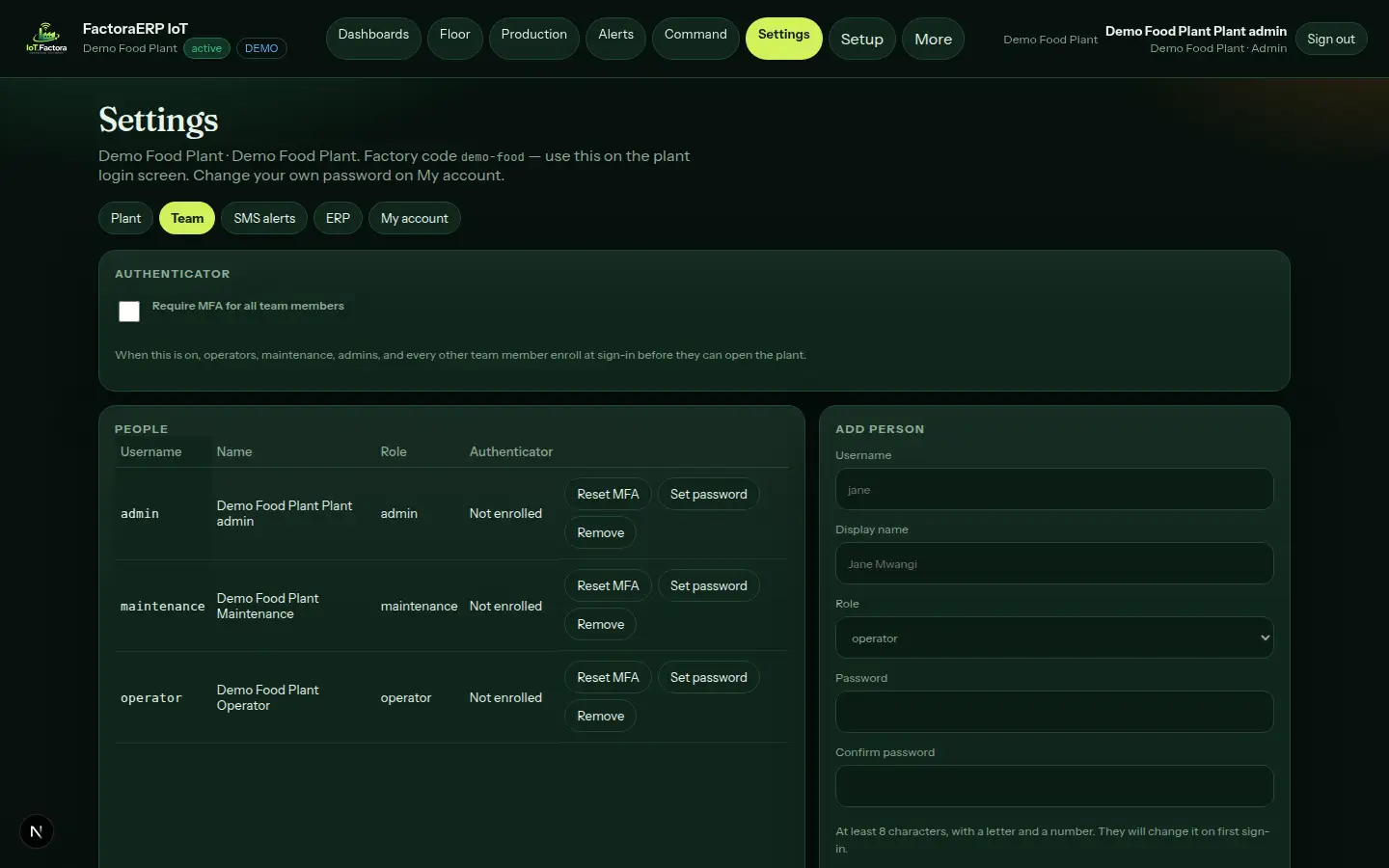
Settings, Team, with separate admin, maintenance, and operator people.
Each person has their own username. The operator does not get registry tokens. Passwords are not shown on this list.
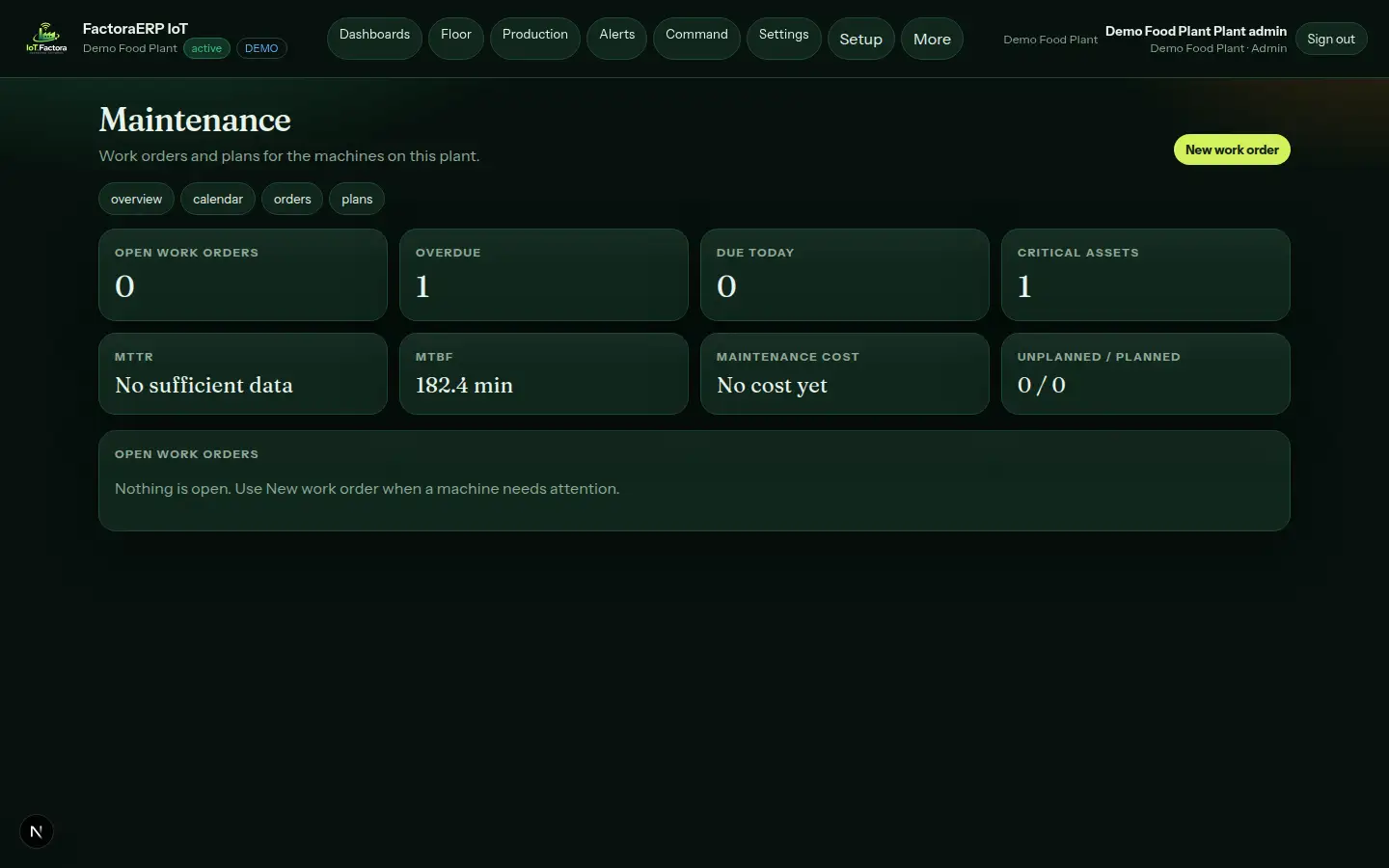
Maintenance work orders, which that role can open. Executive is not in their navigation.
Hand the maintenance person Alerts, work orders, and Connect. Hand the operator the floor, alerts, and shift.

Handover pack: factory slug, device list, gateway IPs, MQTT topic pattern, who to call, academy URL.

Walk the screen

  1. Write one page per role before handover day.
  2. Operator: floor, acknowledge alerts, shift, view OEE and energy. No registry tokens.
  3. Maintenance: resolve alerts, work orders, and Connect. No Executive.
  4. Admin: tokens, team, OEE configuration, Executive, and settings.
  5. Ops owner can create a factory and enter it. An ops viewer can look and not enter.
  6. The pack lists the factory slug, device list, gateway addresses, topic pattern, who to call, and the academy address.

Worked example

You hand the operator the floor page and the maintenance lead the work-order page. You do not show the operator a device token. The ops viewer on the call is told they cannot enter the plant, and the owner is the person who can.

Common mistakes

  • Giving operators registry tokens to 'save time'.
  • Promising Executive to maintenance.
  • A handover pack with no factory slug.

Recap

  • Each role gets the screens that role can open.
  • Ops owner and ops viewer are different.
  • The pack names the slug, the devices, the topic, and who to call.

Create a free account or log in to save this lesson on your progress.

Check understanding

Progress is stored in this browser until you log in. Passing is 70%.

1. Operators rotate ingest tokens.
2. Maintenance can open
3. An ops viewer can
4. The handover pack should name