
Expert · Running the Factory with Data Module: Step 1: The KPIs that matter
AI Copilot
The AI Copilot answers questions about your own factory data in plain language. Good questions are specific:
- "Which suppliers had the lowest lab pass rate last month?"
- "Compare extraction rate this week with the last four weeks."
- "Which customers have overdue invoices over 30 days?"
Use it well
- Ask one question at a time and include a time period.
- Check important numbers against the source report before acting on them.
- Use it to find where to look - then look.
The Copilot is an assistant, not a decision maker. You remain responsible for the decision.
Learning objectives
- Ask one question and include a time period
- Check an important answer against Reports or the KPI Dashboard
- Keep responsibility for the decision with the person, not the copilot
Walk the screen
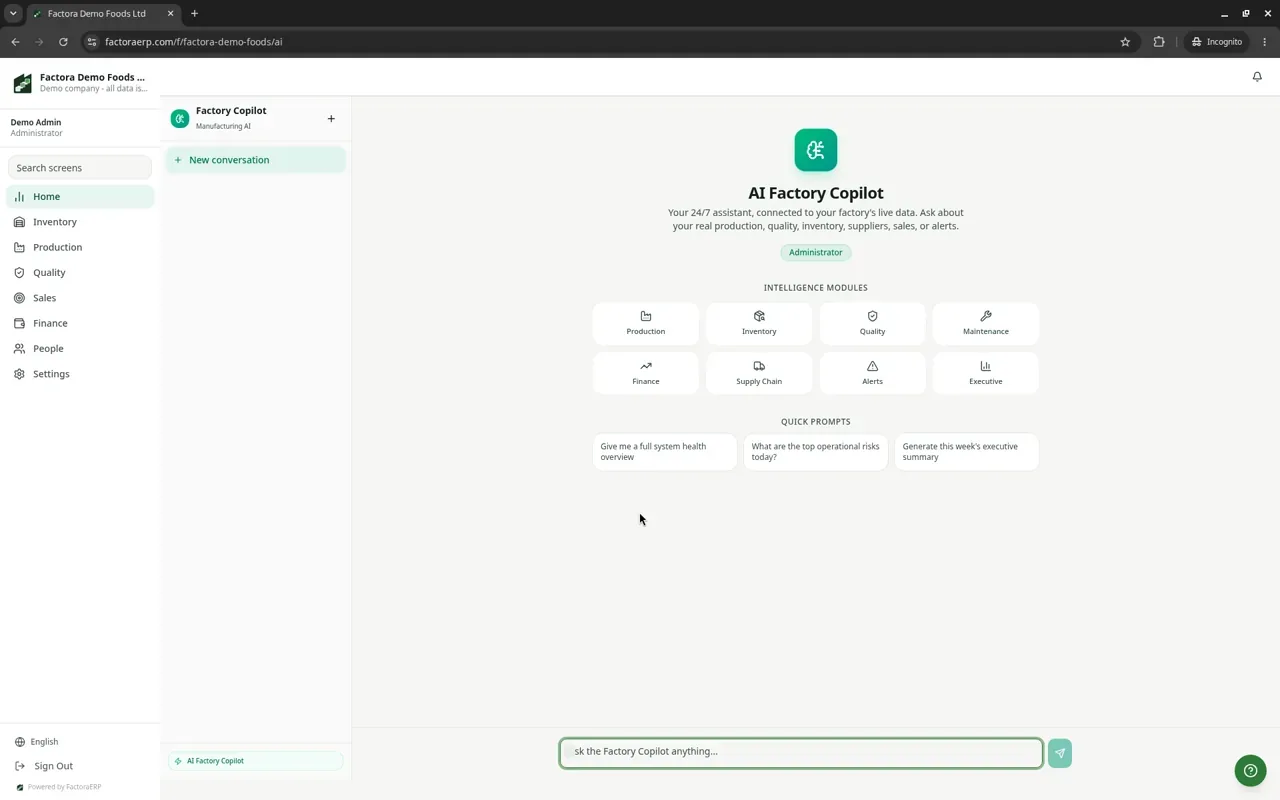
- Open AI Copilot at
/f/<company-slug>/ai. The page shows Quick Prompts and an empty input. No question has been asked yet. - Ask one question, with a period. Examples that match the data you already record: which suppliers had the lowest lab pass rate last month, how extraction rate this week compares with the last four weeks, which customers have overdue invoices over 30 days.
- Read the answer as a place to look, then open Lab Quality, Production, or the finance report it points at.
- If the report disagrees, believe the report and refine the question. Do not average the two.
- Do not ask it to invent a certification, a price, or a customer you do not have.
- Open AI Alert Center at
/f/<company-slug>/ai-alertsfor a warning the product raises on its own, such as oil yield down on Tumaini Demo Traders fruit. Confirm it before you act.
Worked example
The captured Copilot page has not been asked anything yet. You type one question, for example which suppliers had the lowest lab pass rate last month, then open Lab Quality at /f/<company-slug>/reports?tab=lab and confirm the figure before anyone calls a supplier. You do not paste the copilot sentence into the weekly review without that check.
Recap
- One question, one period.
- Check important answers on the source report.
- You remain responsible for the decision.
Quiz for this module: Step 1: The KPIs that matter.