
Foundation · Factory Operations Quick Start Module: Step 1: Receiving material at the gate
For factory staff: follow a raw material lot from the weighbridge to the warehouse, using the exact screens you will use every day in Factora.
Log every truck correctly so the lot can be traced and paid.
The journey of a lot
Every delivery becomes a lot that is followed from the supplier to the customer.
Every delivery that arrives at the gate becomes a lot (also called a batch). The lot keeps the same reference number as it moves through the factory, so anyone can later answer where did this product come from?
| Stage | Screen in Factora | Who usually does it |
|---|---|---|
| 1. Weigh and record | Material Intake | Receiving Agent |
| 2. Test quality | Lab Results | Lab Technician |
| 3. Approve | Approvals | Production / Operations Manager |
| 4. Sort and grade | Sorting & Grading | Sorting Supervisor |
| 5. Store | Warehouse | Inventory Manager |
| 6. Process | Production | Production Operator |
| 7. Sell and dispatch | Sales | Sales / Finance |
Why this matters
- Suppliers are paid correctly because the net weight and quality grade are recorded once and reused.
- Audits are easy because every step is time-stamped with the person who did it.
- Problems are contained - if a lot fails, it is blocked before it reaches production.
Tip: You only see the screens your role needs. If a menu item in this course is missing for you, ask your administrator - it is controlled by your role.
Learning objectives
- Name the seven stages and the screen and the job that usually performs each one
- Explain that a failed lot is blocked before production
- Ask an administrator when a screen from this path is missing, because the role controls the menu
Walk the screen
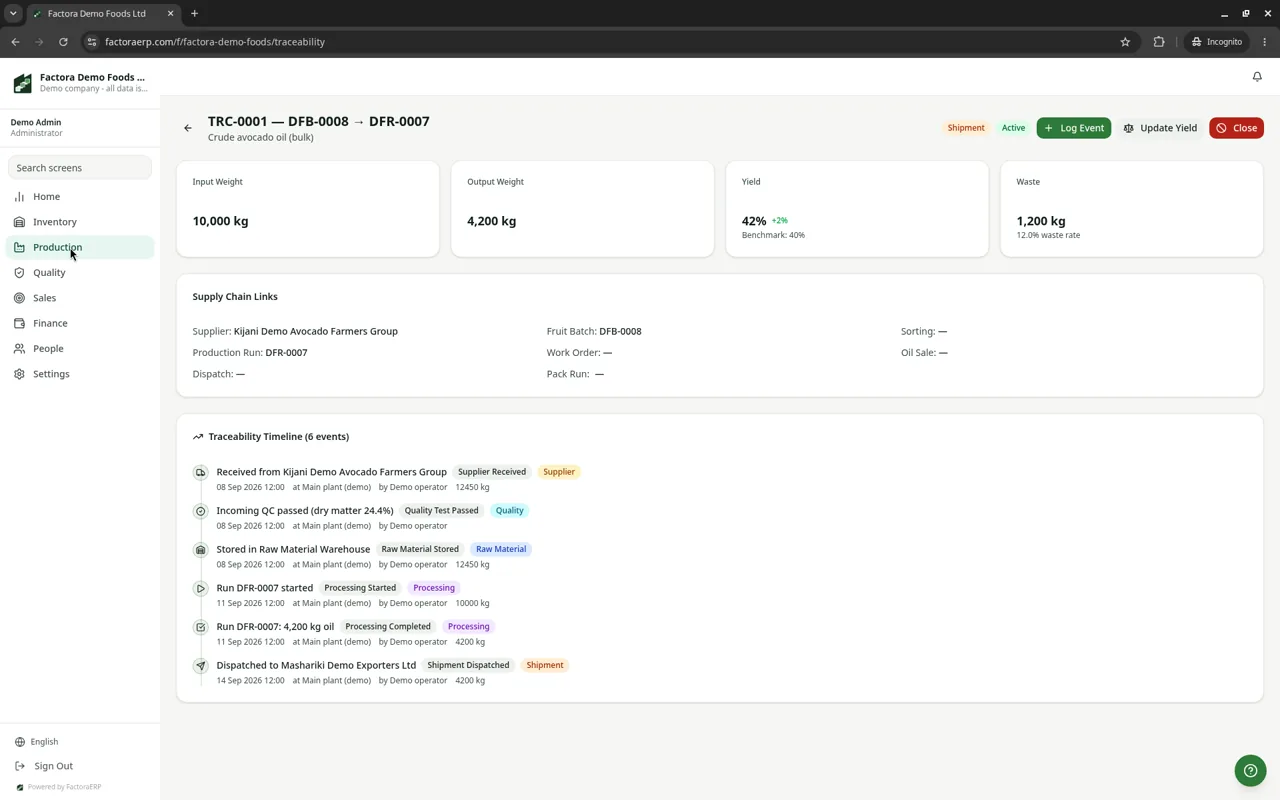
- Stage 1: Material Intake, usually a receiving agent, weigh and record the truck.
- Stage 2: Lab Results, lab technician, test the sample.
- Stage 3: Approvals, production or operations manager, approve, request a correction, or reject.
- Stage 4: Sorting and Grading, sorting supervisor, when the material is graded before storage.
- Stage 5: Warehouse, inventory manager, put the lot in a known bin.
- Stage 6 and 7: Production consumes the lot, and Sales dispatches finished product. Finance uses the same quantities.
Worked example
Demo delivery DFB-0014 is saved as one lot of 12,200 kg. The lab, the approver, and the warehouse all search that reference. When the lab fails it, production cannot consume it. The receiving agent does not create a second lot to 'try again'.
Common mistakes
- Starting a new lot in Production because the intake screen belongs to someone else.
- Paying the supplier from a notebook weight instead of the lot net.
- Assuming a missing menu means the factory does not have that stage.
Recap
- One delivery, one lot, one reference.
- The path is intake, lab, approval, sorting, warehouse, production, sales.
- A failed lot stops before production. A missing menu is a role question.